Roomservicev 1.0freegratisREAPER onlynur für REAPER
Good evening, Mr. Torrance. Your room, as ordered: concrete, door half open, a loudspeaker, a tricycle in motion in the corridor — and an echo, for ever and ever.
Guten Abend, Mr. Torrance. Ihr Zimmer, wie bestellt: Beton, Tür halb offen, ein Lautsprecher, ein Dreirad im Gang in Bewegung und ein Echo, für immer und ewig.
Roomservice is not your usual reverb plugin. Roomservice translates the script into sound. You direct.
Roomservice ist kein übliches Reverb-Plugin. Roomservice übersetzt das Drehbuch in Sound. Du führst Regie.
A JSFX plugin for REAPER 7 only · macOS and Windows · built for audio post professionals and students of sound design, music & audio post. Hear. See. Learn. AND ACTION!Ein JSFX-Plugin, nur für REAPER 7 · macOS und Windows · gebaut für Audio Post Professionals und Studierende im Fachbereich Sounddesign, Musik & Audio Post. Hören. Sehen. Lernen. UND BITTE!
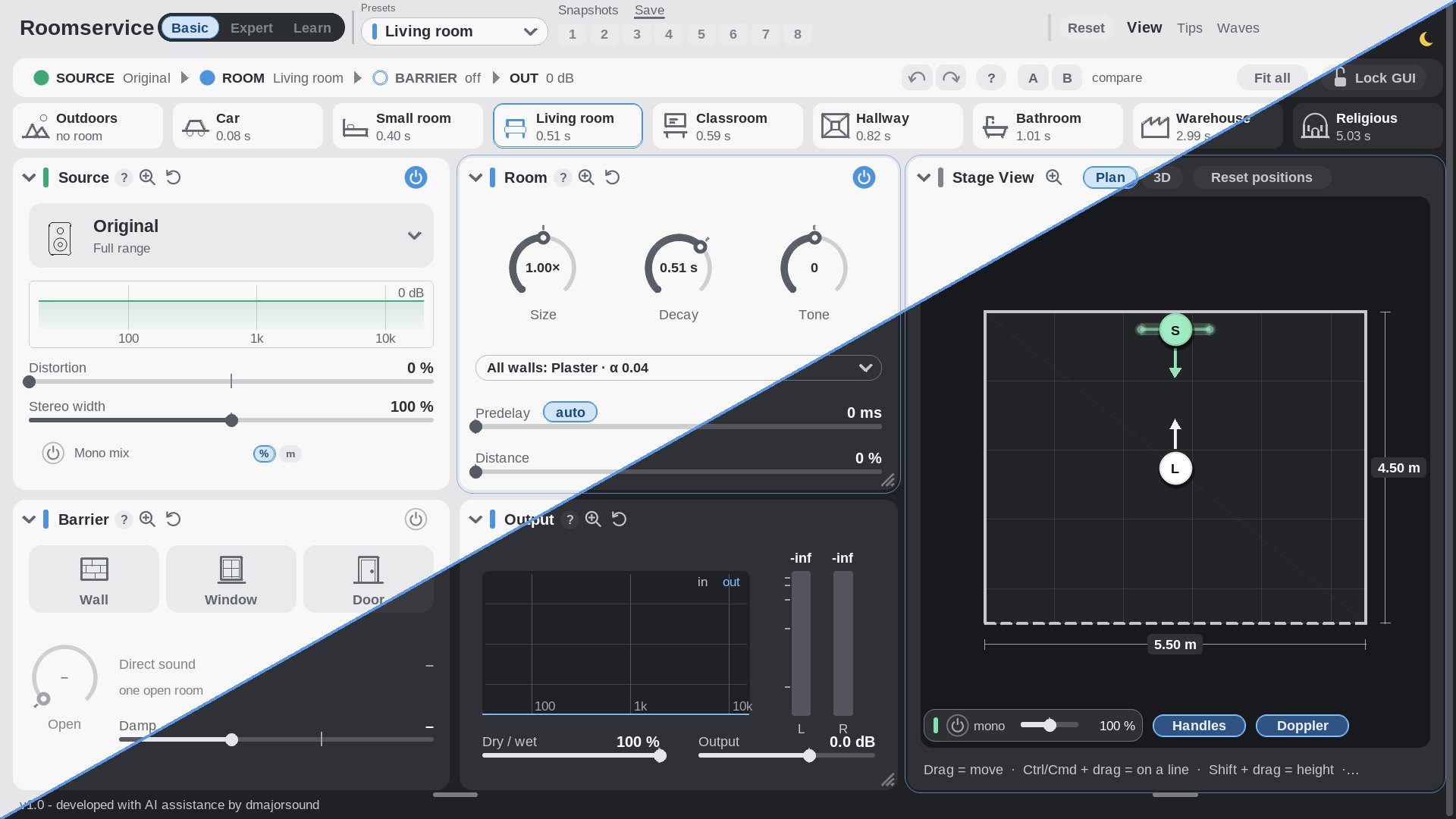
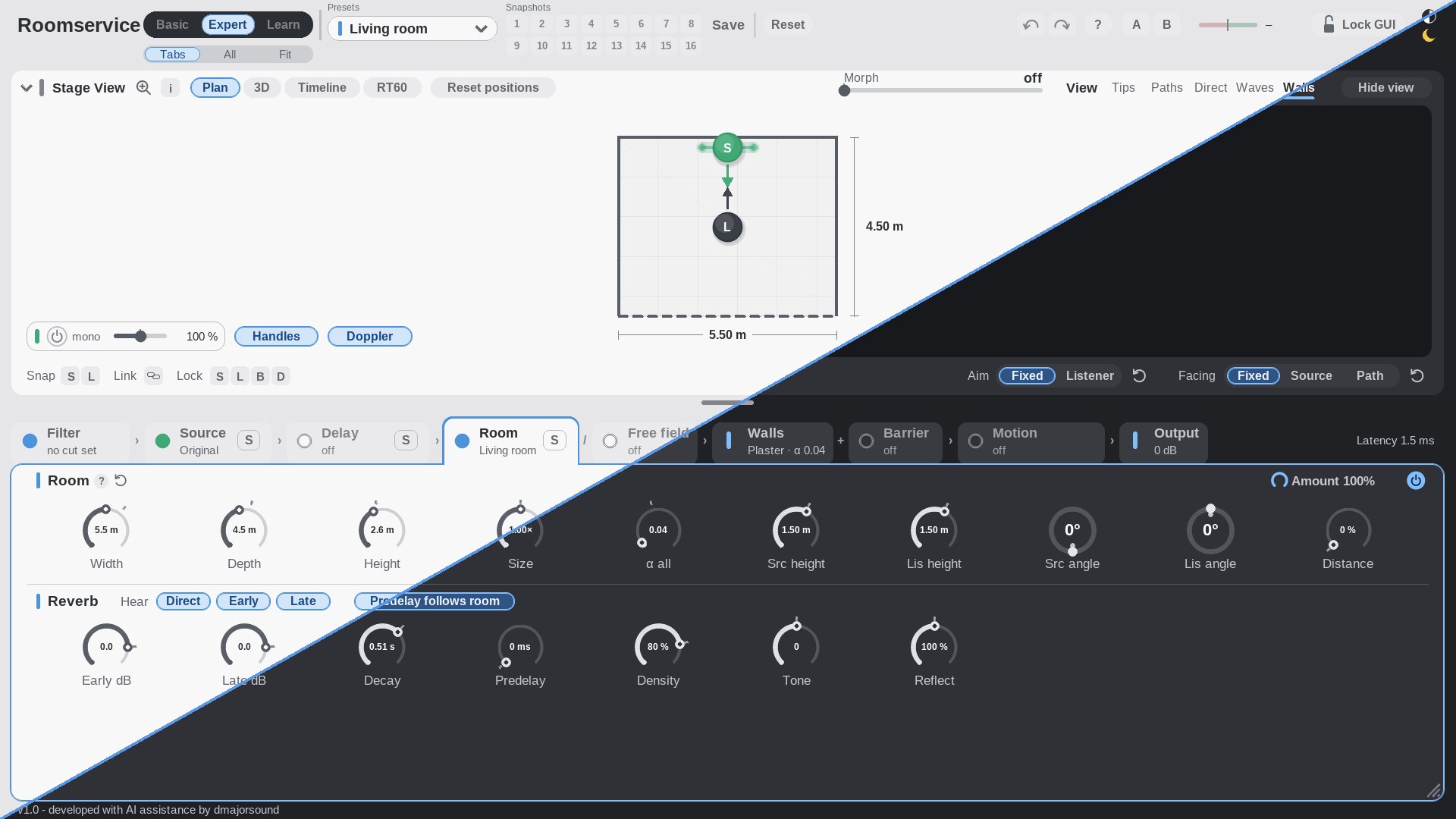
Each screenshot is split: light theme on one side, dark on the other. The plugin follows your setting.Beide Bilder sind geteilt: auf einer Seite hell, auf der anderen dunkel. Das Plugin richtet sich nach dir.
Roomservice runs inside REAPER only.Roomservice läuft nur in REAPER. JSFX is REAPER's own plugin format, so the file does nothing in any other DAW. You need REAPER 7.x for macOS or Windows — free to try, and Roomservice works in it right away. reaper.fm/download JSFX ist REAPERs eigenes Format — in einer anderen DAW tut die Datei leider gar nichts. Du brauchst REAPER 7.x für macOS oder Windows; zum Ausprobieren ist es gratis, und Roomservice läuft darin sofort. reaper.fm/download
The room
Der Raum
Build your room.
Bau dir deinen Raum.
Size, material (per wall), done. Roomservice takes care of the acoustics.
Größe, Material (pro Wand), fertig. Roomservice kümmert sich um die Akustik.
At a glance
- Dimensions in meters
- Concrete · glass · wood · curtain · foam · tiles
- And yes, there are presets too
Auf einen Blick
- Maße in Metern
- Beton · Glas · Holz · Vorhang · Schaum · Fliesen
- Und ja, es gibt auch Presets
Stage View
Stage View
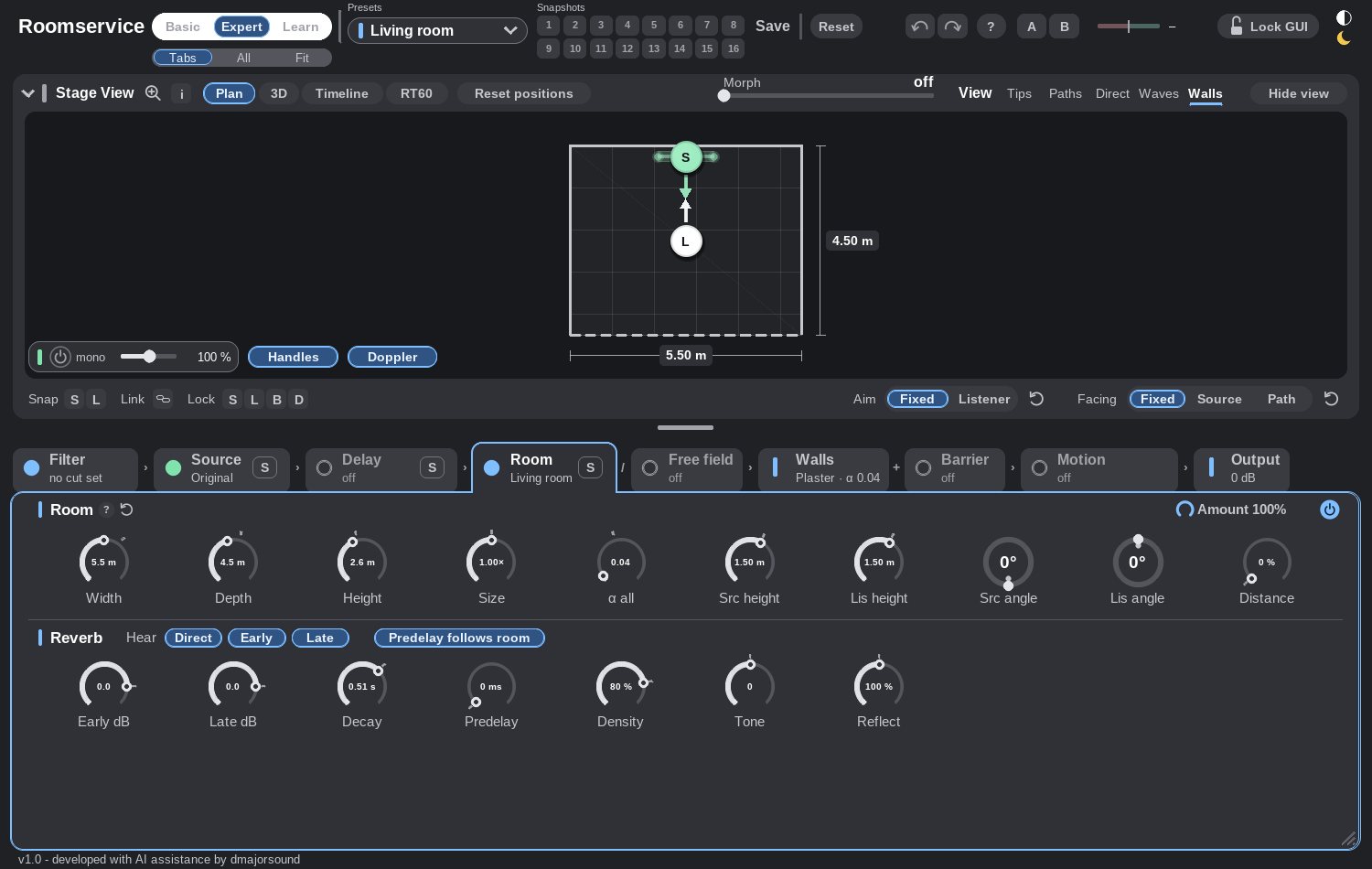
Position source and listener.
Positioniere Quelle und Listener.
Grab it, place it, see it, hear it. Nice.
Anfassen, positionieren, sehen, hören. Nice.
At a glance
- Plan · 3D · side
- Reflection paths
- Wavefronts
- Timeline
- RT60 per octave band
Auf einen Blick
- Grundriss · 3D · Seite
- Reflexionswege
- Wellenfronten
- Timeline
- RT60 pro Oktavband
Devices
Geräte
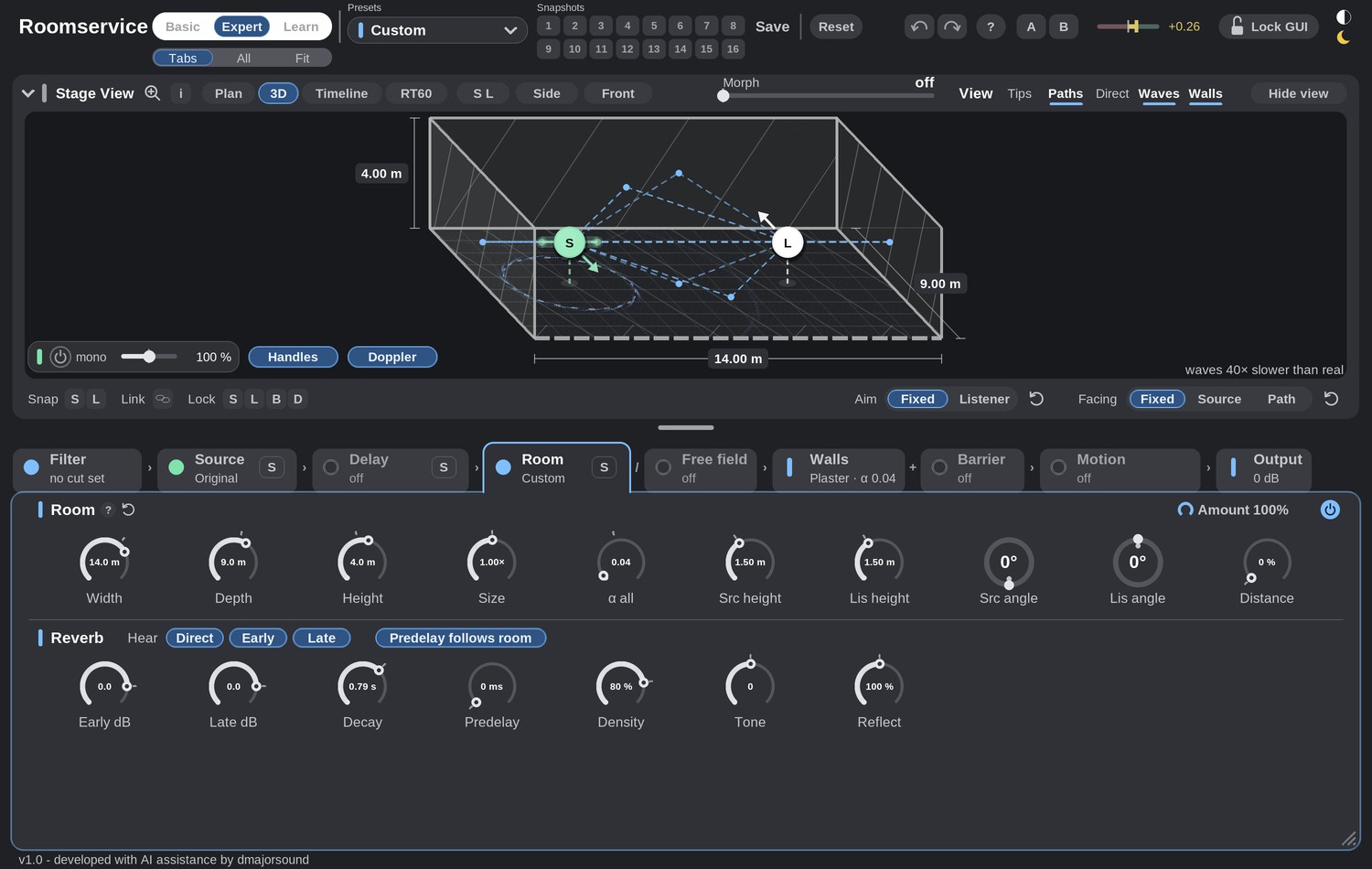
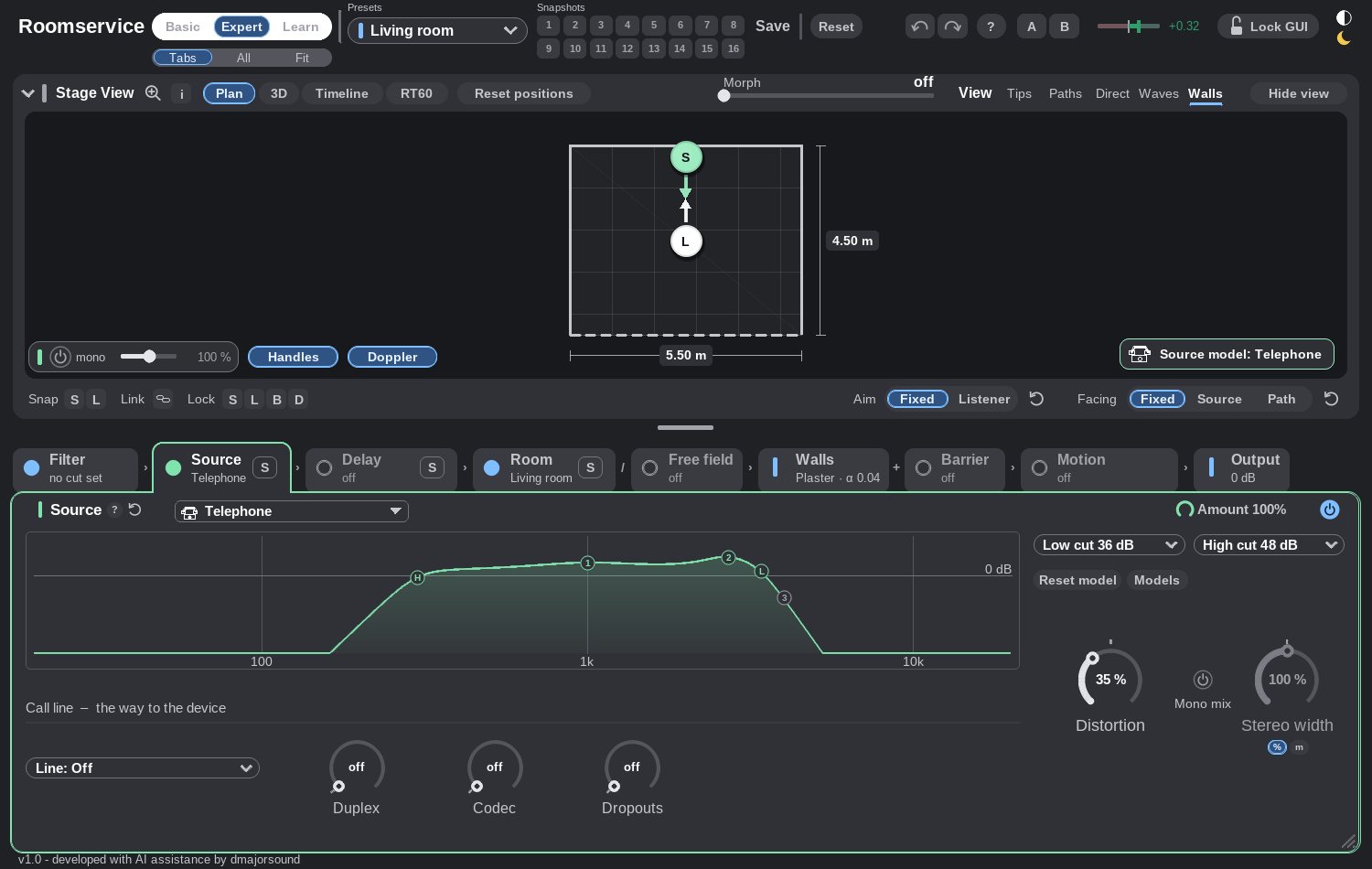
Everyday Devices.
Everyday Devices.
Even the ones without Wi-Fi. So you finally know how the boomers talked on their devices back then.
Auch noch jene ohne WLAN. Damit du endlich weißt, wie die Boomer früher mit ihren Geräten telefoniert haben.
At a glance
- 12 device models
- Call line with duplex and dropouts
Auf einen Blick
- 12 Gerätemodelle
- Call line mit Duplex und Aussetzern
Barrier
Barrier
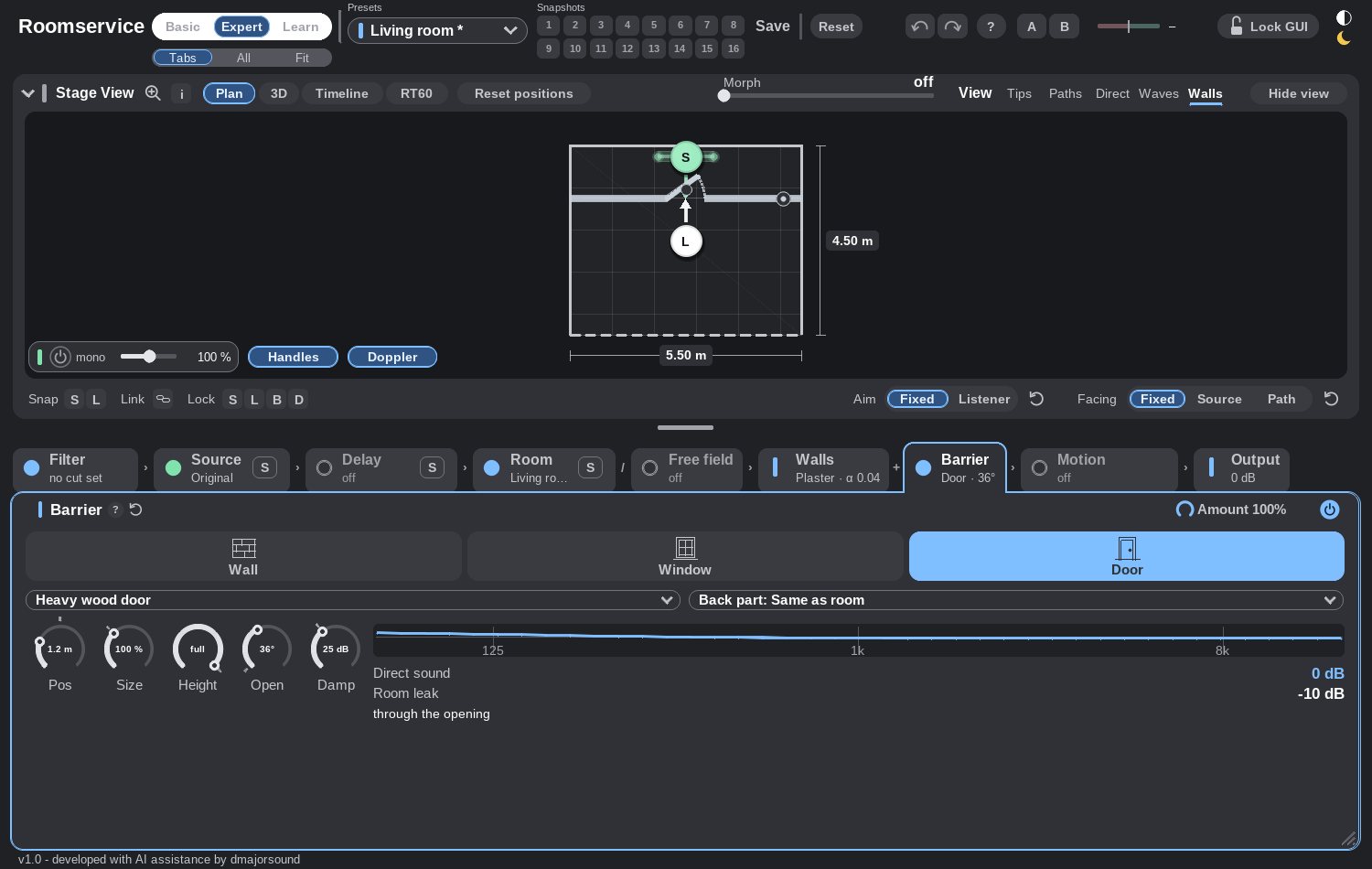
What your neighbor hears when you throw a party.
Was dein Nachbar hört, wenn du Party machst.
Doors are only a suggestion anyway. Wall, window or door, open 0° to 90°: hear which route the sound takes.
Türen sind ohnehin nur ein Vorschlag. Wand, Fenster oder Tür, 0° bis 90° offen: Du hörst, welchen Weg der Schall nimmt.
At a glance
- Wall · window · door
- 0°–90°
- Direct sound vs. room leak
Auf einen Blick
- Wand · Fenster · Tür
- 0°–90°
- Direktschall vs. Raumleck
Delay
Delay
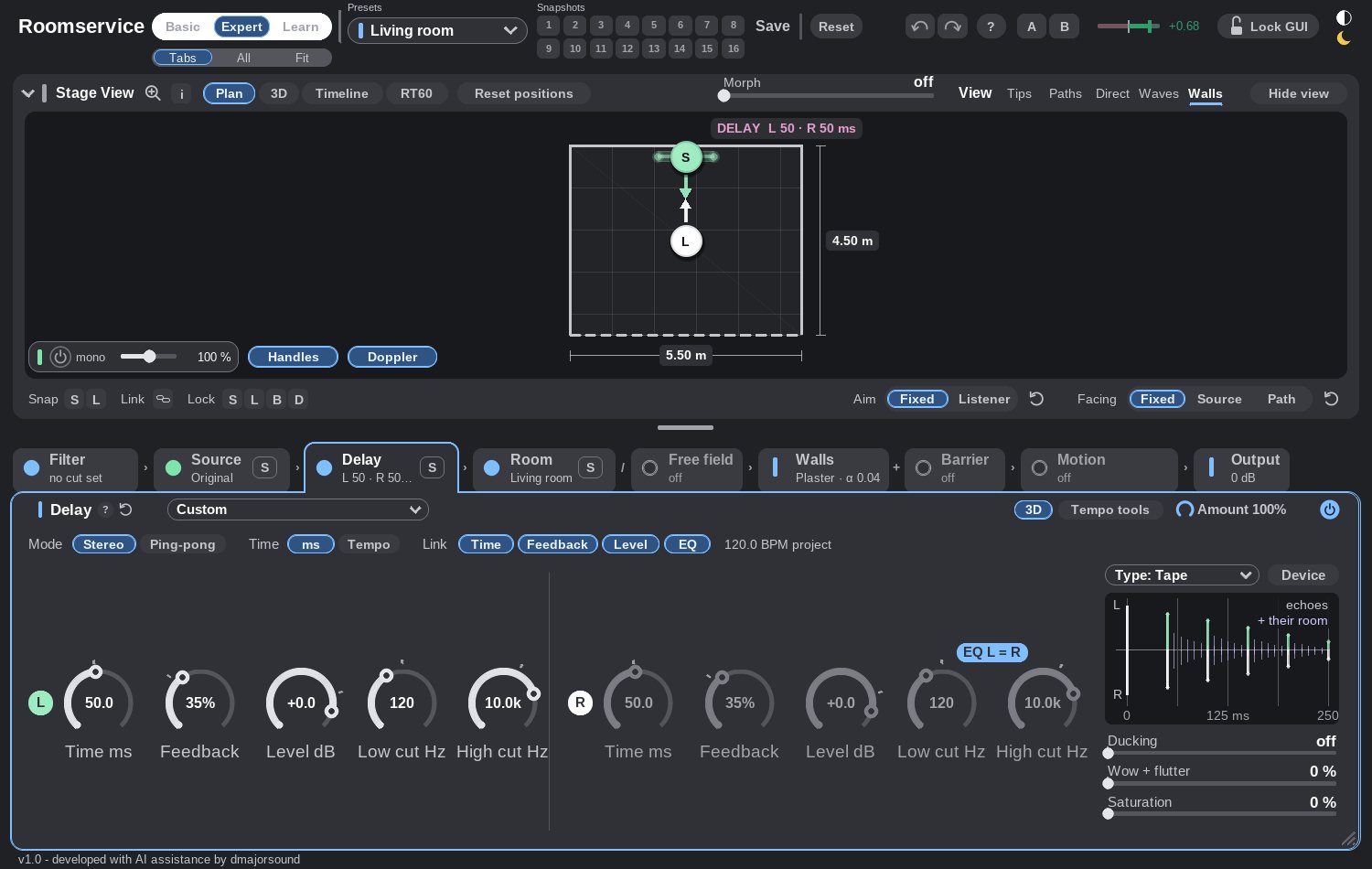
A delay that is fun.
Ein Delay, das Spaß macht.
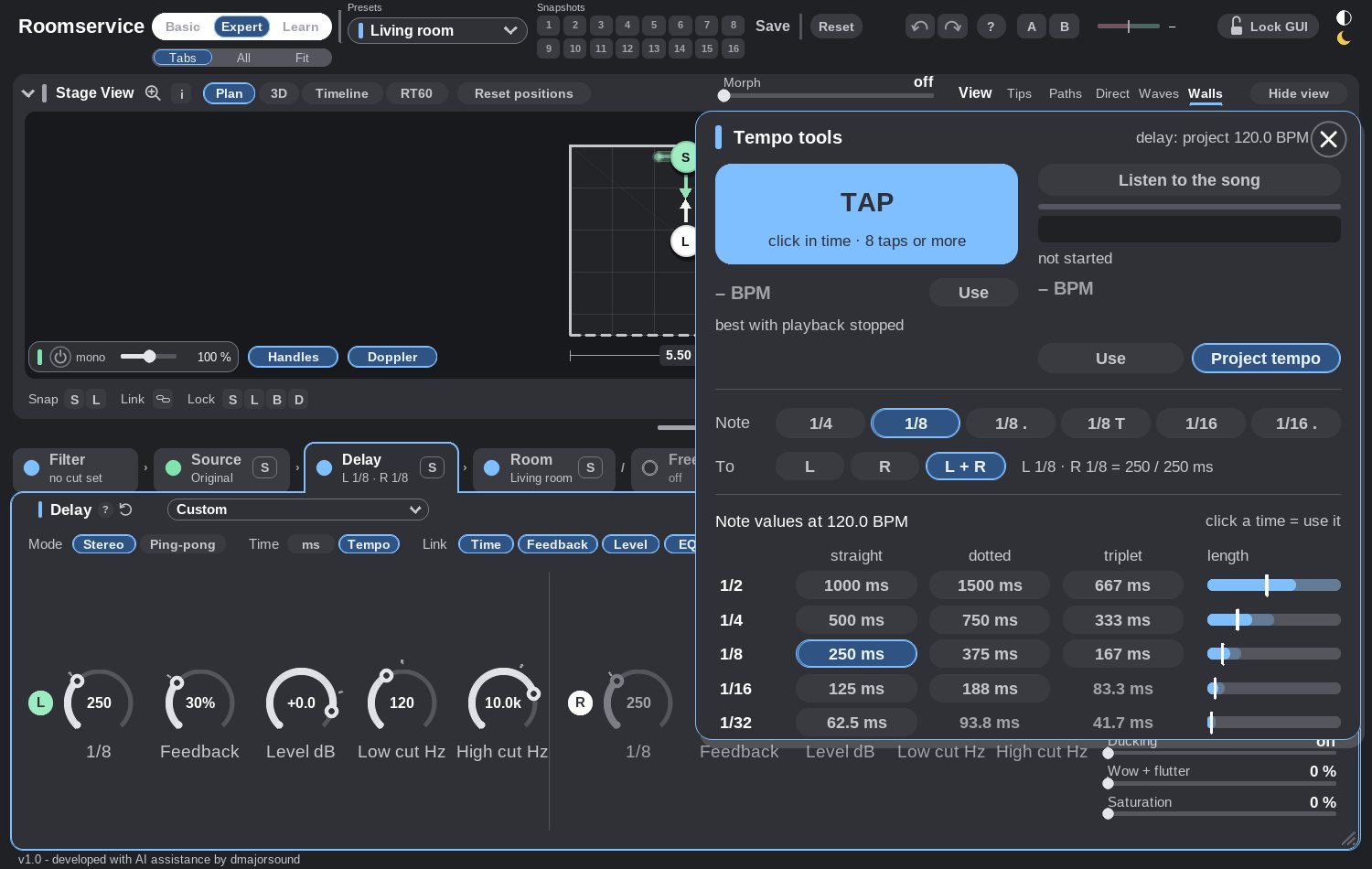
Time or tempo based. It even does the math for you and analyzes the tempo. Or take control yourself.
Zeit- oder tempobasiert. Es hilft dir sogar beim Rechnen und analysiert das Tempo für dich. Du kannst es aber auch selbst steuern.
At a glance
- ms or tempo
- Stereo or ping-pong
- Ducking
- Clean · Tape · Analog · Lo-Fi
Auf einen Blick
- ms oder Tempo
- Stereo oder Ping-Pong
- Ducking
- Clean · Tape · Analog · Lo-Fi
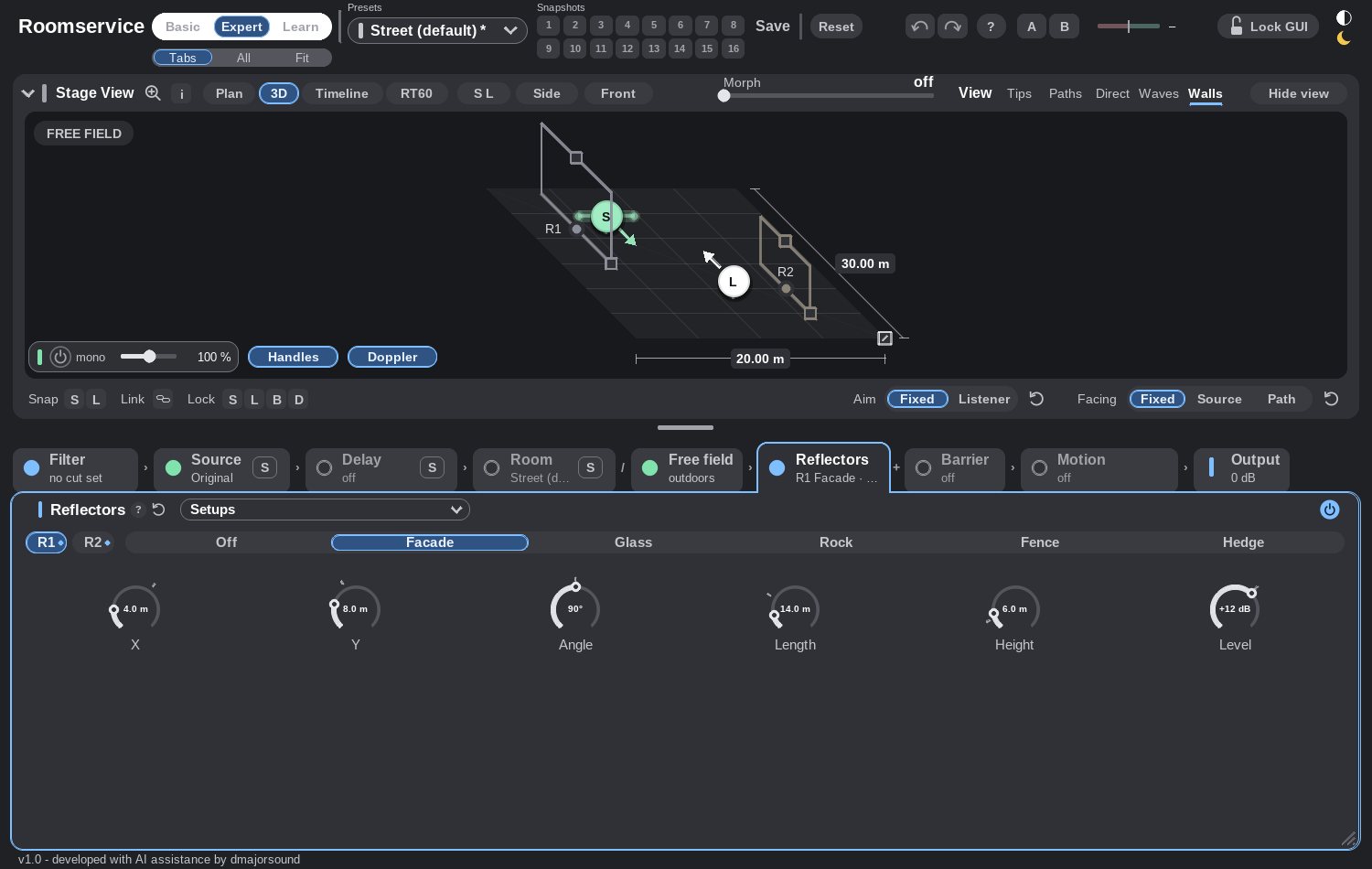
Free field
Free Field
Think outside the box.
Think outside the box.
It is called Roomservice, but who cares? Sound is fun outdoors too, especially when it reflects. Ground, facades, reflectors.
Es heißt zwar Roomservice, aber wen kümmert's? Draußen macht Sound auch Spaß, vor allem wenn er reflektiert. Böden, Fassaden, Reflektoren.
Secret tip: switch off the outline view. (In dark mode ✨)
Geheimtipp: Schalt mal die Outline view aus. (Im Dark Mode ✨)
At a glance
- Asphalt · grass · snow
- Facade · glass · rock · fence · hedge
Auf einen Blick
- Asphalt · Gras · Schnee
- Fassade · Glas · Fels · Zaun · Hecke
Motion
Motion
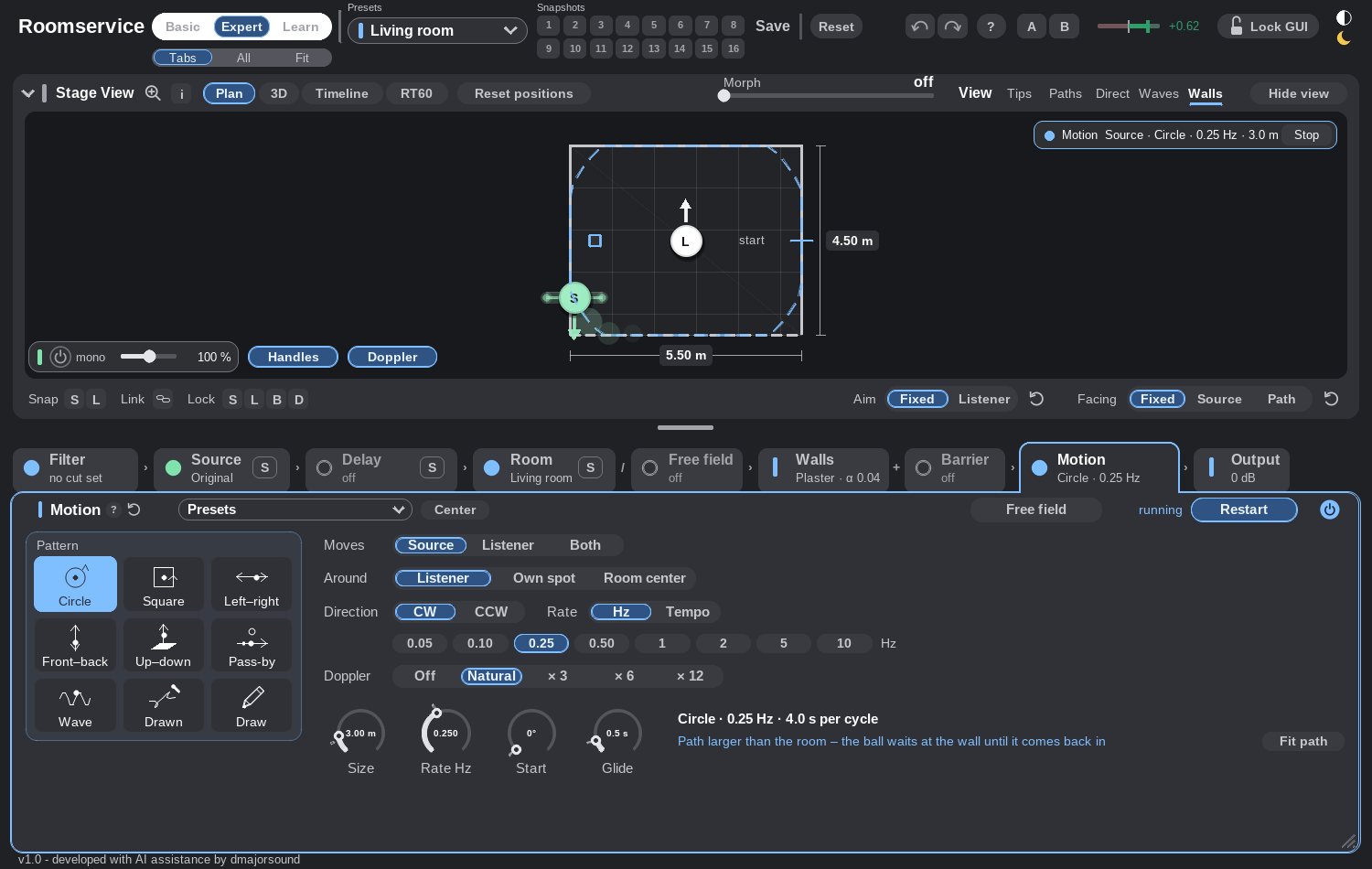
The sporty part of Roomservice 🏃🏻
Der sportliche Teil von Roomservice 🏃🏻
Where there is sound, there is motion. You decide what moves and how. Nothing fits? Draw it! Doppler effect? Yes, that works too. REAPER turns it into automation.
Wo Schall, da Bewegung. Entscheide, was sich wie bewegt. Passt keine Bahn? Zeichne sie! Dopplereffekt? Ja, geht auch. REAPER übersetzt es in Automation.
At a glance
- Circle · pass-by · left–right · own path
- Doppler off, natural or up to ×16
Auf einen Blick
- Kreis · Vorbeifahrt · links–rechts · eigener Pfad
- Doppler aus, natürlich oder bis ×16
Learn mode
Learn-Modus
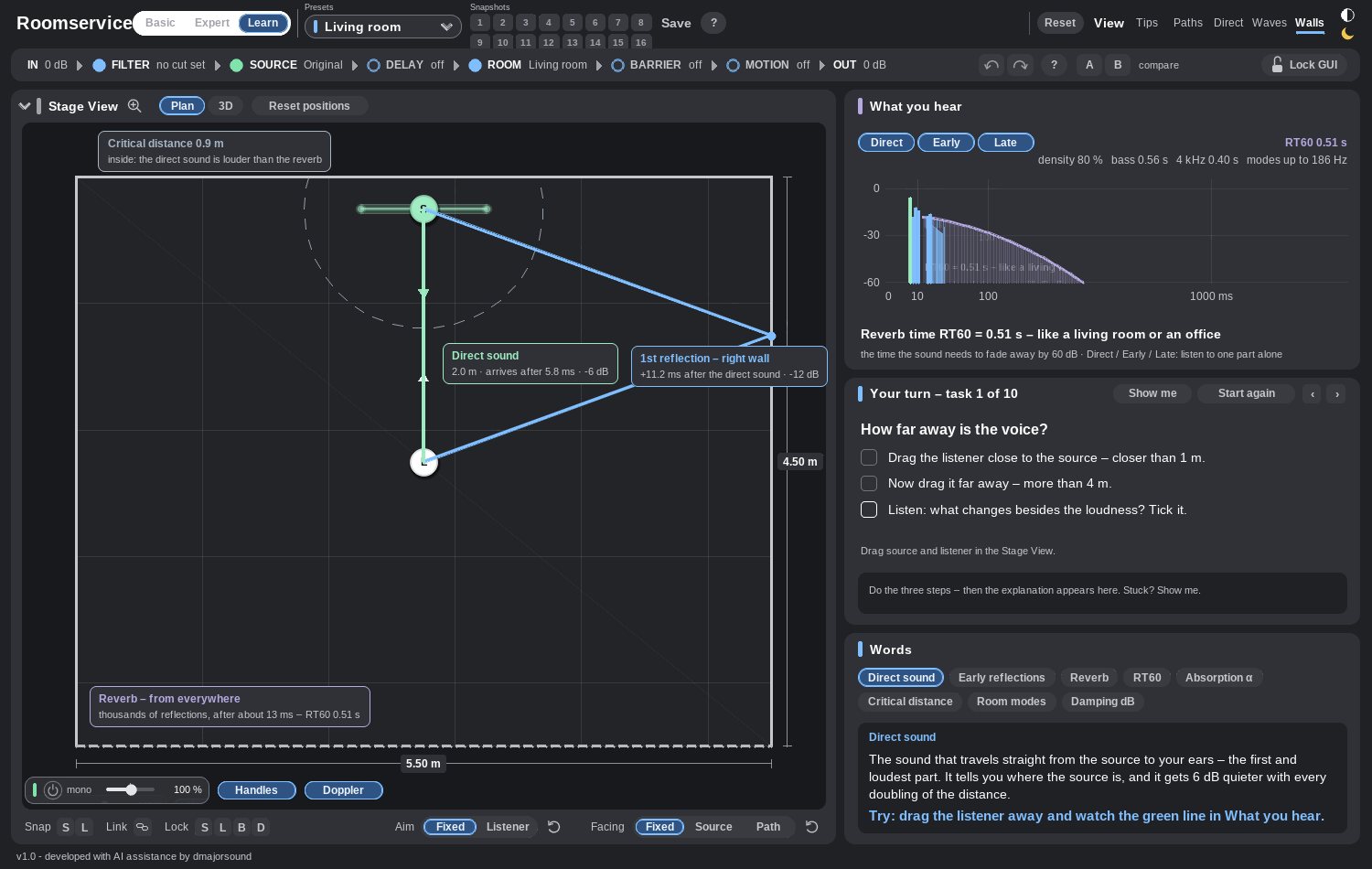
Ten listening tasks with an aha moment.
Zehn Hörübungen mit Aha-Effekt.
Task, check, explanation. The room stays live beside it.
Aufgabe, Check, Erklärung. Der Raum bleibt live daneben.
At a glance
- 10 tasks
- Glossary
- Live echogram
- Solo per module
Auf einen Blick
- 10 Aufgaben
- Glossar
- Echogramm live
- Solo pro Modul
The technical side
Technische Daten
- Format
- JSFX (JS)
- Host
- REAPER 7.x
- Systems
- Systeme
- macOS (Apple Silicon + Intel) · Windows
- Audio channelsAudiokanäle
- Stereo
- Latency
- Latenz
- reported to REAPERan REAPER gemeldet
- Automation
- Automation
- every parameterjeder Parameter
- Install
- Installation
- copy one file or use the installer (I recommend copying)eine Datei kopieren oder den Installer verwenden (ich empfehle das Kopieren)
- Price
- Preis
- free · pay what you want, or buy me a coffee if it helps your creative work 🫶🏼gratis · zahl, was du willst, oder spendier mir einen Kaffee, wenn es dir bei der kreativen Arbeit hilft 🫶🏼
Easy installation through REAPER
Einfache Installation über REAPER
Menu → Options → Show REAPER resource path in Finder/Explorer → open the folder “Effects” → create the folder “dmajorsound” → copy “roomservice.jsfx” into it.
Menü → Options → Show REAPER resource path in Finder/Explorer → Ordner „Effects“ öffnen → Ordner „dmajorsound“ anlegen → „roomservice.jsfx“ hineinkopieren.
You do not have to create the dmajorsound folder, but it helps you tell your plugins apart in REAPER. No subscription, no account, no dependencies. Afterwards you find it as JS: Roomservice - by dmajorsound.
Den Ordner dmajorsound musst du nicht anlegen, er hilft dir aber, deine Plugins in REAPER auseinanderzuhalten. Kein Abo, kein Konto, keine Abhängigkeiten. Danach findest du es als JS: Roomservice - by dmajorsound.
ImprintImpressum
Bernd Dormayer
Supervising Sound Editor & Re-Recording Mixer
Teacher & Lecturer for Audio Post-Production
https://www.dmajorsound.com